
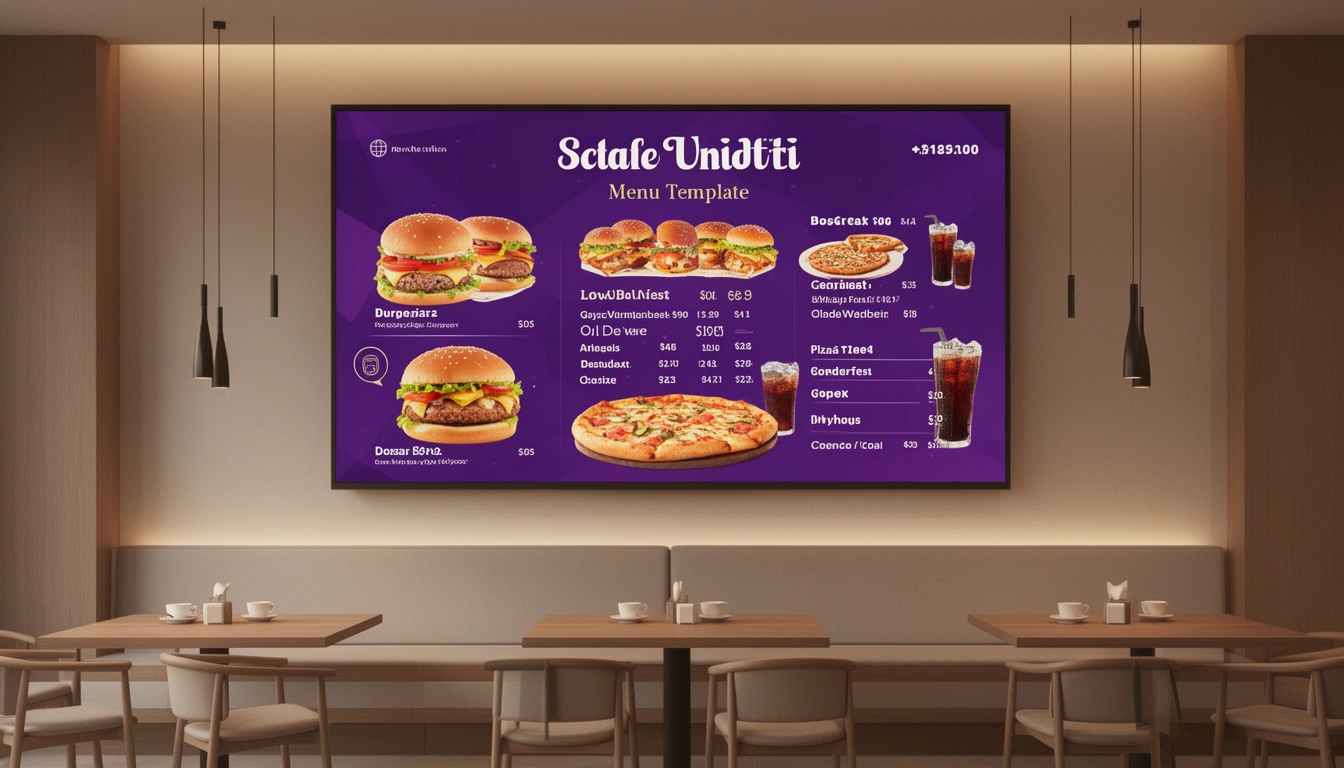
Digital menu displays have revolutionized how restaurants showcase their offerings, and choosing the right TV menu template can make or break your visual presentation. Whether you're running a quick-service restaurant, café, or full-service establishment, a well-designed TV menu template helps customers make faster decisions while elevating your brand image.
In this comprehensive guide, we'll explore everything you need to know about TV menu templates in 2026, from design best practices to implementation strategies that work with modern online ordering systems.
What Is a TV Menu Template?
A TV menu template is a pre-designed digital layout that displays your restaurant's menu items, prices, images, and promotional content on television screens or digital displays. These templates serve as the foundation for your digital menu board, allowing you to update content dynamically without redesigning from scratch.
Modern TV menu templates integrate seamlessly with restaurant management systems, enabling real-time updates for pricing, availability, and special offers. This integration is particularly valuable when connected to digital menu board screens that synchronize with your ordering platform.
Types of TV Menu Templates
Static Menu Templates
Static templates display fixed content that doesn't change unless manually updated. These work well for restaurants with stable menus and limited promotional rotation. They're cost-effective and simple to implement, making them ideal for small cafés and bakeries.
Dynamic Menu Templates
Dynamic templates automatically update based on time of day, inventory levels, or promotional schedules. They can switch from breakfast to lunch menus automatically or highlight items with high profit margins during peak hours. This functionality pairs perfectly with comprehensive online ordering systems that manage your entire operation.
Video-Based Templates
These templates incorporate motion graphics, animations, and video content to create engaging visual experiences. Video elements can showcase food preparation, highlight seasonal ingredients, or tell your brand story between menu displays.
Interactive Templates
Designed for touchscreen displays or QR code integration, interactive templates let customers explore menu categories, view nutritional information, and customize orders directly from the screen. This approach complements digital menu strategies focused on customer engagement.
Essential Elements of Effective TV Menu Templates
Clear Hierarchy and Organization
Your template should guide the eye naturally through menu categories. Use size, color, and positioning to establish a clear visual hierarchy. Feature high-margin items prominently while ensuring every item remains easily discoverable.
High-Quality Imagery
Professional food photography significantly impacts purchase decisions. Your TV menu template should accommodate large, appetizing images that make dishes irresistible. Maintain consistent styling across all photos to create a cohesive look.
Readable Typography
Choose fonts that remain legible from 10-15 feet away. Avoid decorative fonts for prices and descriptions. Maintain high contrast between text and background, typically using dark text on light backgrounds or vice versa.
Strategic Color Schemes
Colors influence appetite and mood. Warm colors like red, orange, and yellow stimulate hunger, while green suggests freshness and health. Your template's color scheme should align with your brand while optimizing for visibility and appetite appeal.
White Space Management
Don't overcrowd your template. Strategic white space improves readability and prevents visual overwhelm. A cluttered menu confuses customers and slows decision-making, especially during busy periods.
Design Best Practices for 2026
Mobile-First Thinking
Even though you're designing for TV screens, consider how your template works across devices. Customers increasingly view menus on smartphones through QR code menu systems, so ensure design consistency across platforms.
Accessibility Considerations
Design templates that accommodate customers with visual impairments. Use sufficient color contrast (WCAG AA compliance minimum), avoid color as the sole means of conveying information, and ensure text sizes meet accessibility standards.
Seasonal and Promotional Flexibility
Build templates with modular sections that easily swap for seasonal items or limited-time offers. This flexibility lets you keep content fresh without complete redesigns, maintaining customer interest and encouraging repeat visits.
Animation and Motion Guidelines
If incorporating animation, keep movements subtle and purposeful. Excessive animation distracts and frustrates customers trying to read menu information. Use motion to draw attention to specials or guide navigation, not as decoration.
Technical Specifications for TV Menu Templates
Resolution Requirements
Design templates at 1920x1080 pixels (Full HD) minimum for modern displays. Many restaurants now use 4K screens (3840x2160), so creating templates at higher resolutions ensures crisp display quality and future-proofs your investment.
Aspect Ratios
Most restaurant TV displays use 16:9 aspect ratio (standard widescreen). However, portrait-oriented displays (9:16) are increasingly popular for vertical installations near ordering counters. Create templates matching your specific display orientation.
File Formats
Save static templates as high-resolution JPG or PNG files. For dynamic content, use MP4 video format with H.264 codec for broad compatibility. Some digital menu systems accept HTML5 templates for maximum flexibility and interactivity.
Update Frequency
Plan how often content rotates. Quick-service restaurants typically rotate screens every 8-12 seconds, while full-service establishments may display single screens for 15-30 seconds. Balance information delivery with customer attention spans.
Creating Your Own TV Menu Template
DIY Design Tools
Several platforms make template creation accessible without design expertise. Canva offers restaurant-specific templates with drag-and-drop editing. Adobe Express provides similar functionality with more advanced customization options. For professional results, consider Adobe Photoshop or Illustrator.
Template Marketplaces
Purchase pre-designed templates from Envato Elements, Creative Market, or Template Monster. These platforms offer thousands of options across various restaurant styles, from elegant fine dining to vibrant fast-casual layouts. Prices typically range from $15 to $100 per template.
Custom Design Services
For unique branding needs, hire designers through Fiverr, Upwork, or specialized restaurant design agencies. Custom templates cost $200-$2,000 depending on complexity, animations, and revision rounds. This investment ensures templates perfectly match your brand identity.
Digital Eatery Integration
Digital Eatery's platform includes menu display capabilities that work seamlessly with your TV menu templates. Update menu items, prices, and availability once, and changes automatically reflect across all displays and online ordering channels. This integration eliminates manual updates and reduces errors.
Implementation Strategy
Hardware Selection
Choose commercial-grade displays rated for 16+ hours daily operation. Consumer TVs aren't designed for constant use and fail prematurely. Look for displays with 500+ nit brightness for visibility in bright environments. Popular brands include Samsung, LG, and NEC.
Content Management Systems
Deploy digital signage software to manage template display schedules, updates, and multi-location coordination. Options range from simple cloud-based solutions like ScreenCloud or Rise Vision to enterprise platforms like Scala or BrightSign.
Testing and Optimization
Before full deployment, test templates during actual service hours. Observe customer behavior do they spend time reading? Do they ask fewer questions? Track order patterns to identify if promoted items see increased sales. Adjust based on real-world performance.
Staff Training
Ensure staff understands how to update templates for daily specials, sold-out items, or emergency changes. Create simple documentation with screenshots showing update procedures. Regular training prevents outdated information from displaying.
Common Mistakes to Avoid
Information Overload
Trying to fit your entire menu on one screen overwhelms customers. Focus on key items, bestsellers, and high-margin dishes. Use multiple rotating screens to cover your full menu without crowding.
Poor Contrast
Low contrast between text and background makes reading difficult, especially in varied lighting conditions. Always test templates in your actual restaurant environment during different times of day.
Inconsistent Branding
Your TV menu templates should match your overall brand identity. Inconsistent fonts, colors, or styles create confusion and dilute brand recognition. Maintain strict brand guidelines across all customer touchpoints.
Neglecting Updates
Nothing looks worse than outdated prices, sold-out items still displayed, or last season's specials. Establish update schedules and assign responsibility for keeping content current.
Measuring Success
Key Performance Indicators
Track average order value before and after implementing TV menu templates. Monitor which promoted items see sales increases. Measure order speed well-designed menus help customers decide faster, improving throughput during peak hours.
Customer Feedback
Ask customers about their menu experience through surveys or casual conversation. Do they find items easily? Is pricing clear? Would they prefer more or less information? Direct feedback guides refinements.
A/B Testing
Test different template designs, layouts, or promotional strategies. Run version A for one week, version B the next, while controlling other variables. Compare sales data to identify which approach performs better.
Future Trends in TV Menu Templates
AI-Powered Personalization
Emerging technology uses cameras and AI to detect customer demographics and adjust displayed items accordingly. Families with children might see kid-friendly options, while business professionals see quick lunch specials.
Real-Time Social Proof
Templates incorporating live social media feeds showing customer photos and reviews. This user-generated content builds trust and creates FOMO (fear of missing out) for popular items.
Sustainability Messaging
Modern consumers value environmental responsibility. Templates increasingly highlight local sourcing, carbon footprints, or sustainable practices alongside menu items.
Voice Integration
As voice ordering becomes mainstream, templates may include voice command capabilities for accessibility and convenience, particularly in drive-through environments.
Getting Started with Digital Eatery
Digital Eatery offers everything you need to implement professional TV menu templates alongside your complete restaurant management solution. Our platform connects your digital displays with inventory management, online ordering, and billing systems for seamless operation.
The integrated approach means updating your menu once automatically refreshes TV displays, online ordering platforms, printed materials, and mobile apps. This efficiency saves hours weekly while ensuring consistency across all customer touchpoints.
Whether you're launching your first digital menu or upgrading existing displays, the right TV menu template transforms how customers interact with your offerings. Combine compelling design with strategic placement and reliable technology to create menu displays that inform, entice, and drive profitable orders.
Ready to elevate your restaurant's visual presence? Start exploring TV menu template options today and discover how Digital Eatery's comprehensive platform supports your digital transformation from menu display to order fulfillment.
Published with LeafPad