
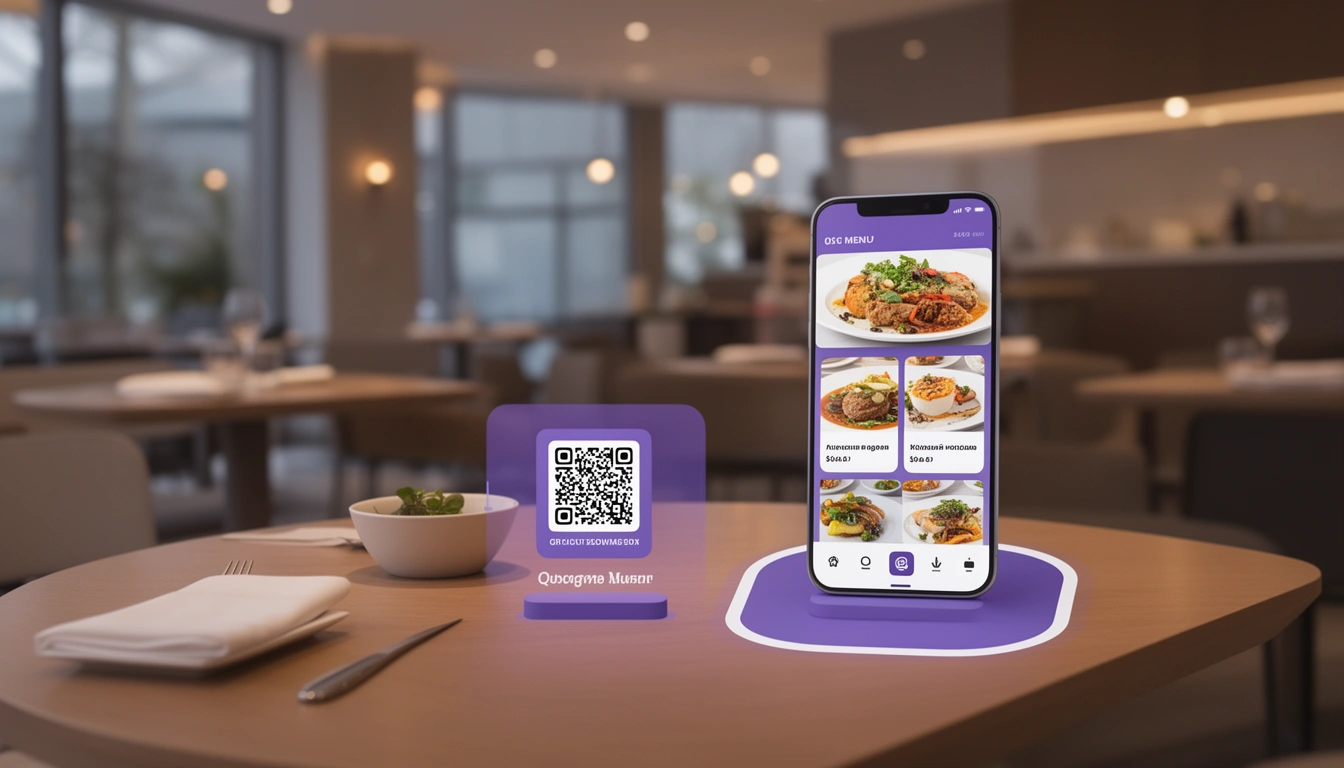
Contactless restaurant menus have transformed from a pandemic necessity to a permanent fixture in modern dining. As we move through 2026, these digital solutions continue to evolve, offering restaurants unprecedented opportunities to enhance customer experience while streamlining operations.
If you're exploring ways to modernize your restaurant, understanding contactless menus is essential. This technology integrates seamlessly with free online ordering systems, creating a comprehensive digital dining experience that customers now expect.
What Is a Contactless Restaurant Menu?
A contactless restaurant menu is a digital menu that customers access via their smartphones without physically touching printed menus or shared devices. Typically accessed through QR codes placed on tables, these menus allow diners to browse offerings, view detailed descriptions, check prices, and often place orders directly from their phones.
Unlike traditional menus, contactless versions offer dynamic content that can be updated instantly, include high-quality images, accommodate dietary filters, and provide real-time inventory status all without printing costs or hygiene concerns.
Why Contactless Menus Matter in 2026
The restaurant industry has fundamentally changed, and customer expectations have evolved accordingly. Here's why contactless menus remain crucial:
Enhanced Hygiene Standards
While the acute phase of the pandemic has passed, hygiene consciousness remains elevated. Customers appreciate restaurants that minimize touchpoints, and contactless menus eliminate one of the most-handled items in any establishment. This demonstrates your commitment to cleanliness without verbal assurance.
Operational Efficiency
Digital menus save countless hours previously spent printing, laminating, and replacing damaged menus. More importantly, they free your staff from repeatedly answering the same questions about ingredients, preparation methods, or allergen information details that can be comprehensively included in digital descriptions.
Real-Time Menu Management
Run out of the daily special at 7 PM? With contactless menus, you can remove it from availability in seconds. Pricing changes, seasonal menu updates, and promotional items can be modified instantly across all locations from a single dashboard, ensuring consistency and accuracy.
Key Features of Effective Contactless Restaurant Menus
Not all digital menus are created equal. The best contactless menu systems include:
QR Code Accessibility
QR codes should be strategically placed on tables, at entrances, and even on receipts for takeaway customers. They must work flawlessly with all smartphone cameras without requiring app downloads. The scanning experience should lead directly to your menu within 2-3 seconds.
Mobile-Optimized Design
Your contactless menu must be designed mobile-first, with large, readable fonts, clear category organization, and fast loading times even on slower connections. Images should be compressed for speed while maintaining appetizing quality.
Detailed Item Information
Include comprehensive descriptions, ingredient lists, allergen warnings, calorie counts, and preparation methods. Customers increasingly want this information, and providing it digitally means servers spend less time answering repetitive questions.
Visual Appeal
High-quality food photography significantly impacts ordering decisions. Digital menus allow you to showcase your dishes in ways paper menus never could, with multiple images per item if desired.
Customization Options
Enable customers to customize their orders directly through the menu selecting spice levels, removing ingredients, adding extras, or choosing portion sizes. This reduces order errors and empowers customers to get exactly what they want.
Integration with Online Ordering Systems
The most powerful contactless menu implementations go beyond simple browsing. They integrate with online ordering systems to enable direct ordering from the table.
This creates what's known as contactless menu ordering, where the entire dining experience from browsing to ordering to payment happens through the customer's device. This significantly reduces wait times and allows servers to focus on hospitality rather than order-taking.
Benefits of Integrated Systems
When your contactless menu connects with your POS and kitchen management system, orders flow directly to the kitchen without manual input. This eliminates transcription errors, speeds up service, and provides valuable data on ordering patterns.
Digital Eatery's solution combines contactless menus with comprehensive restaurant billing software, creating a seamless ecosystem where menu browsing, ordering, kitchen communication, and payment processing work in harmony.
Implementation Best Practices
Successfully deploying contactless menus requires more than just technology it demands thoughtful implementation:
Staff Training
Your team needs to confidently guide customers through the contactless menu experience. Train servers to proactively explain the system, assist customers who struggle with technology, and position it as an enhancement rather than a replacement for personal service.
Backup Options
Always maintain physical menu alternatives for customers who prefer them or face technical difficulties. Not everyone is comfortable with smartphone-based ordering, and forcing it creates unnecessary friction.
Clear Signage
Use table tents, posters, and staff communication to explain how the contactless menu works. Include simple instructions: "Scan QR code → Browse menu → Place order." Visual guides help older customers or those unfamiliar with QR technology.
Regular Testing
Periodically test your QR codes and menu loading times from different devices and network conditions. A contactless menu that doesn't load quickly or displays incorrectly frustrates customers and damages your brand.
Advanced Features for 2026
Modern contactless menu systems now offer sophisticated capabilities:
AI-Powered Recommendations
Smart menus analyze ordering history and preferences to suggest items customers might enjoy, increasing average ticket size and introducing diners to menu items they might overlook.
Dietary Filtering
Allow customers to filter menu items by dietary requirements vegan, gluten-free, keto, allergen-free instantly showing only suitable options. This improves experience for customers with restrictions and reduces the risk of allergic reactions.
Multilingual Support
Automatically display menus in customers' preferred languages, expanding your appeal to international visitors and non-native speakers without printing multiple menu versions.
Dynamic Pricing
Implement happy hour pricing, early bird specials, or surge pricing during peak times with automatic updates that ensure customers always see current prices.
Enhancing the Complete Contactless Experience
Contactless menus work best as part of a broader contactless dining strategy. Consider adding:
- Contactless payment: Let customers pay directly through the menu interface
- Digital receipts: Email or text receipts instead of printing them
- Server call buttons: Enable customers to request assistance without flagging down staff
- Feedback collection: Gather reviews and ratings immediately after dining
Cost Considerations and ROI
Implementing contactless menus involves initial setup costs, but the return on investment typically materializes quickly:
Savings: Eliminate menu printing costs (often $500-2,000 annually for small restaurants), reduce labor hours spent updating menus, and decrease order errors that lead to waste.
Revenue increases: Digital menus with quality images increase average order values by 15-30%. Upselling through smart recommendations adds additional revenue, while faster table turnover during peak hours serves more customers.
Many restaurants report full ROI within 3-6 months of implementation, with ongoing savings and revenue enhancements continuing indefinitely.
Choosing the Right Contactless Menu Solution
When evaluating contactless menu platforms, prioritize:
- Ease of updates: Can you modify menus yourself without technical assistance?
- Integration capabilities: Does it connect with your existing POS and kitchen systems?
- Customization options: Can you match your brand's look and feel?
- Analytics: Does it provide insights into browsing behavior and popular items?
- Support: Is quality customer service available when issues arise?
- Scalability: Will it grow with your business across multiple locations?
Digital Eatery offers all these features in a unified platform designed specifically for small and medium restaurants, with pricing that makes sense for businesses of all sizes.
Common Challenges and Solutions
Challenge: Customers uncomfortable with technology
Solution: Maintain physical menus and train staff to assist gracefully
Challenge: Poor venue WiFi or cellular coverage
Solution: Optimize menu file sizes, consider WiFi upgrades, or implement progressive web apps that cache menu data
Challenge: QR code damage or obstruction
Solution: Use durable materials, place codes in multiple locations, and regularly inspect and replace damaged codes
Challenge: Customer privacy concerns
Solution: Clearly communicate data usage policies and ensure menus don't require personal information to browse
The Future of Contactless Menus
Looking ahead, contactless menus will continue evolving. Expect augmented reality features showing 3D dish visualizations, voice-activated ordering for accessibility, and deeper personalization based on customer preferences and ordering history.
Integration with loyalty programs will become standard, automatically applying rewards and tracking points as customers order. Sustainability features will highlight eco-friendly menu items and show carbon footprints for environmentally conscious diners.
Getting Started with Contactless Menus
Ready to implement contactless menus in your restaurant? Start by:
- Auditing your current menu and gathering high-quality photos of key dishes
- Researching platforms that integrate with your existing systems
- Testing solutions with a small section of your restaurant before full rollout
- Training staff thoroughly on both the technology and customer service aspects
- Collecting customer feedback and iterating based on their experience
Digital Eatery makes this process straightforward with intuitive menu builders, automatic QR code generation, and comprehensive support to ensure smooth implementation.
Conclusion
Contactless restaurant menus represent more than a technological trend they're a fundamental shift in how restaurants operate and customers dine. By eliminating physical menus, you improve hygiene, reduce costs, increase operational flexibility, and meet evolving customer expectations.
The key is choosing a solution that integrates seamlessly with your existing operations while providing room to grow. Whether you're a small café or a multi-location restaurant group, contactless menus offer tangible benefits that improve both customer experience and your bottom line.
As dining continues to evolve in 2026 and beyond, contactless menus will remain essential tools for competitive restaurants committed to efficiency, safety, and exceptional service.
Published with LeafPad